
Strong passwords and authentication are your first line of defense against today’s more sophisticated online threats. Every year, millions of people and organizations fall victim to cyberattacks that begin with something as simple as a weak password. From stolen identities to drained bank accounts, the consequences can be severe.
While firewalls and antivirus software help keep your data safe, password strength and authentication methods are still your first and most important line of defense. A single weak password can open the door to hackers, but with the right approach, you can lock them out for good.
In this guide, we’ll break down strong passwords and authentication strategies you can apply immediately. Use multi-factor authentication and adopt modern security tools to protect your information. You’ll also learn about common password mistakes, how to avoid them, and what the future of secure login methods looks like.
Why Strong Passwords Matter More Than Ever
Think of your password as the key to your online life. It protects everything from your bank accounts and work emails to your social media profiles. When your password is weak or reused across multiple sites, it’s like leaving that key under the doormat for anyone to find.
Hackers don’t need to be geniuses to break into accounts. They use automated programs that can guess thousands of passwords per second, a method known as brute-force attacks. Others rely on phishing—tricking users into revealing their passwords—or credential stuffing, where attackers test previously stolen passwords across multiple platforms.
If attackers compromise your password, they can impersonate you, steal your data, or use your identity to commit fraud. The reality is that most people make it easy for hackers. Common passwords like “123456,” “password,” and “qwerty” still top global lists of the most-used credentials. Even minor variations like “Password123” aren’t much safer.
That’s why strong passwords and authentication should be daily security habits, not a one-time setup.
The Key Elements of a Strong Password
To build a strong password, you need more than random characters. Security experts recommend combininglength, complexity, and uniqueness:
- Use at least 12 characters. Longer passwords are significantly harder to crack.
- Include a mix of uppercase and lowercase letters, numbers, and special symbols.
- Avoid dictionary words or personal information, such as birthdays or pet names.
- Never reuse passwords across different accounts.
A password like “Tg!82mZl9#hQs” is much stronger than “Summer2024!”—even though both look complex. The first is longer, random, and unpredictable, making it exponentially harder for a hacker to guess or crack.
If remembering multiple strong passwords sounds impossible, you’re not alone. That’s where password managers come in. These tools generate, store, and autofill secure passwords for all your accounts, keeping them encrypted behind one master password.
Using a password manager eliminates the need to memorize dozens of credentials and helps prevent you from reusing the same one across sites—a common security flaw that puts your entire online identity at risk.
These fundamentals are the foundation of effective password security and long-term account protection.
Strong passwords and multi-factor authentication are only part of a larger security strategy. Businesses should also follow proven security best practices across their systems and teams.
How Multi-Factor Authentication (MFA) Strengthens Your Security
When you combine MFA with strong passwords and authentication best practices, the risk of account takeover drops significantly. Even the strongest password can be stolen. That’s why adding a second layer of verification is essential. Multi-factor authentication (MFA) requires you to confirm your identity in more than one way before granting access to your account.
With MFA, even if someone learns your password, they still can’t log in without the second factor—something only you possess. This dramatically reduces the risk of unauthorized access.
The Three Main Types of Authentication Factors
- Something You Know – Your password, PIN, or the answer to a security question.
- Something You Have – A physical item such as a smartphone, hardware token, or security key.
- Something You Are – Biometric identifiers like your fingerprint, facial features, or voice.
Most MFA systems combine two of these factors. For example, after entering your password (something you know), you may receive a code on your phone (something you have) or verify with a fingerprint scan (something you are).
Common MFA Methods and Their Effectiveness
- SMS-Based Codes – A one-time code is sent to your phone via text. While easy to use, this method is vulnerable to SIM-swapping attacks, where hackers hijack your phone number.
- Authenticator Apps – Apps such as Google Authenticator or Authy generate time-sensitive codes that work offline, providing better security than SMS.
- Hardware Tokens – Devices like YubiKey or Titan Security Key offer the strongest protection by requiring physical access to authenticate. They are resistant to phishing and other remote attacks.
Despite its effectiveness, many users still skip MFA because they find it inconvenient. However, the added step takes only a few seconds and can prevent weeks or months of recovery time if your account is hacked. The small trade-off in convenience is well worth the peace of mind.
The Future of Authentication: Moving Beyond Passwords
The cybersecurity industry is steadily moving toward a world where passwords are no longer the primary form of authentication. Passwordless authentication is gaining popularity because it combines security with convenience.
Instead of remembering long strings of characters, you can log in with biometrics or cryptographic keys that automatically confirm your identity.
Biometric and Behavioral Authentication
Biometric methods like fingerprint scanning and facial recognition are already common on smartphones and laptops. These options are fast and easy, but they’re not flawless. Biometric data can sometimes be spoofed or stolen, and unlike passwords, you can’t simply change your fingerprint.
To strengthen biometric security, many systems now integrate behavioral biometrics. These analyze how you type, move your mouse, or even how you hold your phone. Such patterns are unique to you and extremely difficult for an attacker to imitate.
The Rise of FIDO and Passwordless Logins
One of the most promising developments in authentication is the FIDO (Fast Identity Online) standard. FIDO allows users to sign in without a password, using hardware security keys or device-based methods like Apple’s Face ID or Microsoft’s Windows Hello.
These systems use cryptographic keys stored securely on your device to verify your identity, meaning your login credentials are never transmitted over the internet. This makes it nearly impossible for hackers to intercept or reuse them.
Major companies like Apple, Google, and Microsoft are leading this shift, integrating FIDO-based logins to phase out traditional passwords entirely.
While technology is making authentication smarter and more seamless, user education remains just as important. Many data breaches still happen because people fall for phishing scams or ignore security best practices. No technology can protect you if you unknowingly hand over your credentials.
Long-Term Password Security Tips for Businesses
Creating strong passwords and enabling MFA are excellent starting points, but maintaining good habits over time is just as important. Cybersecurity isn’t a one-time task—it’s an ongoing process.
Here are practical steps to help you stay protected:
1. Monitor for Data Breaches
Use services such as Have I Been Pwned to check whether your email or password has appeared in any known data leaks. If you discover a breach, immediately change your passwords on the affected accounts and any others that might share similar credentials.
2. Beware of Phishing Scams
Phishing remains one of the most common ways attackers steal passwords. Be skeptical of emails, texts, or websites asking for personal information. Always check the sender’s address, hover over links before clicking, and avoid entering login details unless you’re sure the site is legitimate.
3. Use a Password Manager
Password managers do more than store passwords—they also encrypt them. Many can automatically detect compromised passwords and suggest stronger alternatives. This approach keeps your credentials organized and reduces human error.
4. Update Passwords Regularly
Even strong passwords can be compromised over time. Change them every 3 to 6 months, especially for high-value accounts like email, banking, or cloud storage, to reduce your exposure to long-term threats.
5. Enable MFA on All Accounts
If a website or app offers multi-factor authentication, enable it. It’s one of the simplest yet most effective ways to prevent unauthorized access.
6. Educate Yourself and Others
Security awareness is your strongest defense. For businesses, regular training sessions can help employees recognize phishing attempts and understand why strong authentication policies matter. For individuals, staying informed about current scams and emerging threats makes a huge difference.
Strong passwords and multi-factor authentication are only part of a larger security strategy. Businesses should also follow proven security best practices across their systems and teams.
Common Password Mistakes You Should Avoid
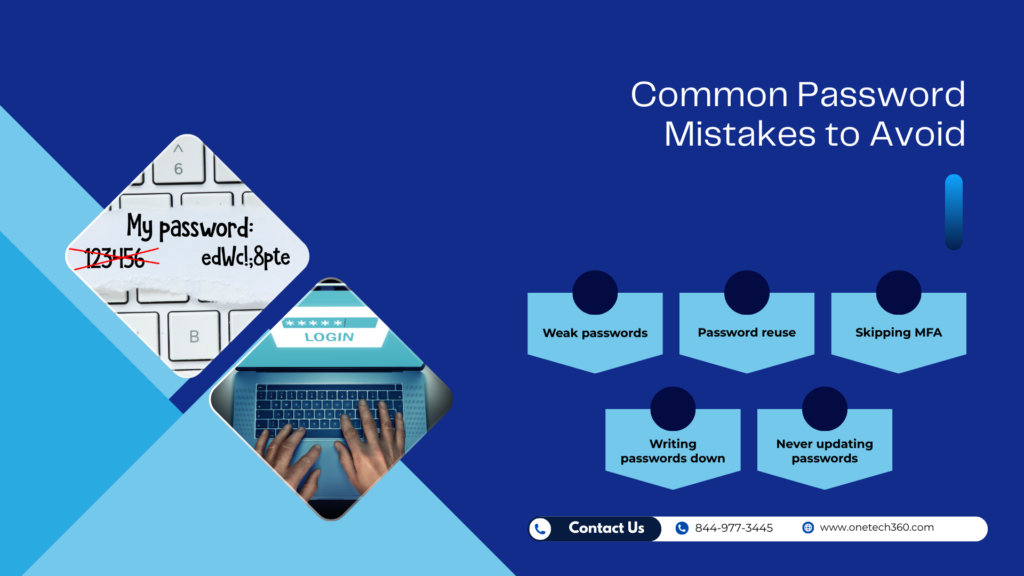
Avoiding these mistakes supports strong passwords and authentication across every account you use.
Even the most security-conscious people make password mistakes without realizing it. Avoiding these common pitfalls can greatly strengthen your defenses.
1. Using Weak or Guessable Passwords
Simple passwords like “password,” “letmein,” or “123456” are among the first combinations hackers try. Substituting a few characters (like “P@ssword1”) doesn’t help much either. Always use random, complex strings that don’t include personal details or patterns.
2. Reusing Passwords Across Accounts
Using one password for multiple logins is a major risk. If a hacker gains access to a single account, they can quickly compromise others using the same credentials. Each account should have its own unique password, ideally managed by a secure password manager.
3. Ignoring Multi-Factor Authentication
Many users skip MFA because they see it as inconvenient. In reality, it’s one of the easiest ways to stop hackers in their tracks. If you’re not using MFA, you’re leaving a critical security gap open.
4. Writing Down Passwords or Saving Them in Plain Text
Writing passwords on sticky notes, notebooks, or unencrypted files on your computer is a serious mistake. If those notes fall into the wrong hands, your accounts are instantly vulnerable. Always store passwords securely using encryption or a password manager.
5. Failing to Update Passwords
Stale passwords can become ticking time bombs. If your credentials were ever part of a breach, attackers could still have access years later. Make it a habit to refresh your passwords regularly.
Building a Safer Online Future
The goal is simple: make strong passwords and authentication part of your default security routine. Cybersecurity isn’t just a technical issue—it’s a personal responsibility. Protecting your online accounts starts with strong passwords, but it doesn’t end there. Adding multi-factor authentication, staying alert to phishing scams, and embracing modern authentication methods like biometrics and FIDO keys can dramatically reduce your risk.
Whether you’re managing personal accounts or securing a business network, the goal is the same: make it as difficult as possible for attackers to gain access. With the right habits and tools, you can safeguard your digital identity and enjoy peace of mind knowing your information is secure.
If you’re ready to take your security to the next level, start today. Review your passwords, enable MFA, and consider using passwordless options as they become available. The effort you put in now can save you from major losses later.