
Data is one of the most valuable assets any company owns. From employee records and customer payment information to internal reports and business strategies, sensitive data fuels daily operations and long-term growth. As work environments continue to evolve, especially with remote and hybrid models, protecting company data has become more complex and more urgent than ever.
Cyber threats are no longer rare incidents that only affect large corporations. Small and mid-sized businesses are increasingly targeted because attackers often assume they have weaker defenses. Network security may sound simple in theory, but the number of data breaches reported each year tells a different story. Companies that fail to take proactive steps risk financial loss, reputational damage, and operational disruption.
In this guide, we will walk through the essential steps to protect your company’s data, reduce vulnerability, and build a security-focused culture that keeps your business resilient.
Why Data Protection Matters More Than Ever
Businesses today rely heavily on technology to operate. Cloud storage, mobile devices, online collaboration tools, and remote access systems have created new efficiencies. At the same time, they have expanded the number of entry points attackers can exploit.
Data breaches can result in:
- Financial losses due to fraud or ransom payments
- Legal consequences and regulatory fines
- Loss of customer trust
- Operational downtime
- Long-term reputational damage
Protecting company data is not only about compliance. It is about protecting your future. The following steps outline how organizations can build stronger defenses against malicious activities.
1. Train Employees on Network Security Best Practices
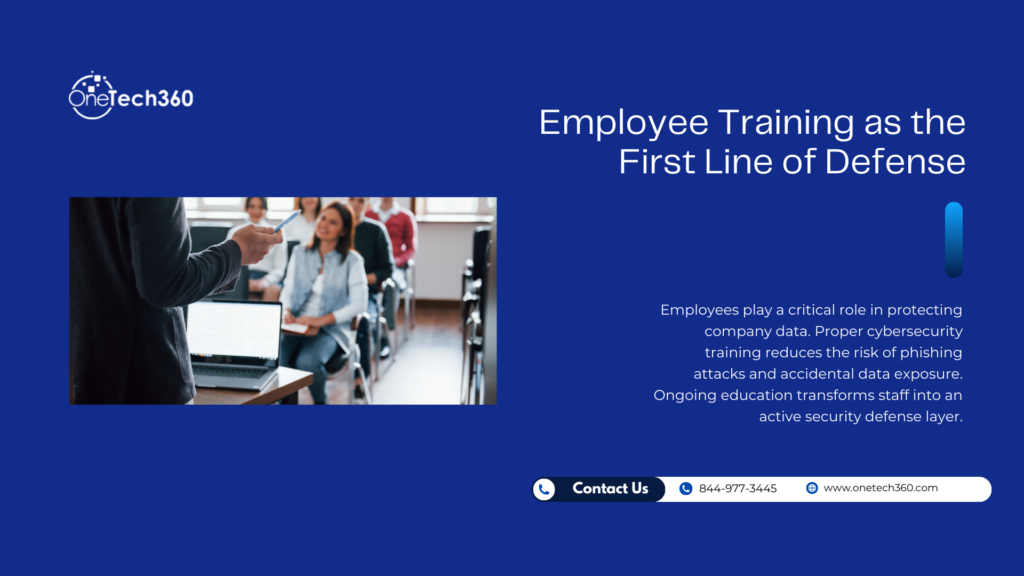
One of the most important steps to protect company data is employee training. Even the most advanced security systems can be compromised by a single careless click. Human error remains one of the leading causes of data breaches.
Employees often access company data from laptops, smartphones, tablets, and home networks. If these devices are not properly secured, they can become easy targets for malware, phishing attacks, and unauthorized access.
Why Training Matters
Without proper guidance, employees may:
- Click on suspicious email links
- Use weak passwords
- Connect to unsecured public Wi-Fi networks
- Download unapproved software
- Share sensitive information improperly
Security training should begin during onboarding and continue regularly throughout employment. Employees must understand how their actions directly impact company security.
To further strengthen awareness programs, you can explore The Benefits of Cyber Security Training, which explains how structured training reduces risk across organizations.
What to Include in Training Programs
- Phishing identification and response procedures
- Safe browsing habits
- Password management best practices
- Proper handling of sensitive data
- Reporting suspicious activity immediately
Creating a culture of accountability and awareness transforms employees from potential vulnerabilities into your first line of defense.
2. Encrypt Sensitive Information
Encryption is a powerful tool in data protection. It converts readable data into coded information that can only be accessed with the correct decryption key. Even if attackers gain access to encrypted data, they cannot use it without the proper credentials.
As businesses increasingly rely on stored and transmitted data, encryption becomes essential.
Where Encryption Should Be Applied
- Data stored on company devices
- Cloud-based files and backups
- Email communications containing sensitive information
- Payment processing systems
- Remote access connections
Encryption protects data both at rest and in transit. Many platforms, such as Microsoft’s encryption solutions, offer built-in encryption features that businesses can leverage.
Without encryption, even minor system breaches can expose critical company information. Encryption adds a crucial layer of protection.
3. Regularly Monitor and Scan Systems
Installing security software is not enough. Systems must be monitored and scanned regularly to detect vulnerabilities before they are exploited.
Routine monitoring helps businesses:
- Identify unusual network activity
- Detect malware early
- Address software vulnerabilities
- Prevent unauthorized access attempts
Implement Automated Security Tools
Security scanning tools can automatically check internal and external systems for weaknesses. These tools provide insights into potential risks and allow IT teams to fix issues before attackers find them.
Additionally, firewall monitoring and endpoint protection solutions provide real-time visibility into network traffic and device behavior.
If your organization is unsure what to do after a breach occurs, you may find this resource helpful: My Business Has Been Hacked: What to Do After a Cyberattack.
Prevention is always more cost-effective than recovery.
4. Implement Two-Factor Authentication
Passwords alone are no longer sufficient to secure company accounts. Two-factor authentication, also known as multi-factor authentication, adds another verification step that significantly reduces unauthorized access.
With two-factor authentication, users must provide:
- Something they know, such as a password
- Something they have, such as a mobile verification code
Even if a password is compromised, attackers cannot access accounts without the secondary verification code.
Benefits of Two-Factor Authentication
- Reduces account takeover risk
- Protects sensitive applications
- Secures remote access systems
- Strengthens email account security
Encourage employees to create longer, more complex passwords in addition to enabling multi-factor authentication. This dual-layer approach makes it significantly harder for attackers to gain access.
5. Secure Mobile and Remote Work Devices
With more employees working remotely or in hybrid environments, mobile device security is essential. Laptops and smartphones often store or access sensitive business information.
To secure mobile devices:
- Require device encryption
- Install endpoint protection software
- Use secure VPN connections for remote access
- Enable remote wipe capabilities
- Keep operating systems updated
Unprotected devices can serve as gateways for malware. Establishing clear mobile device policies ensures consistent protection across the organization.
6. Develop Strong Password Policies
Weak passwords remain one of the most common causes of data breaches. Companies must enforce strong password standards to reduce risk.
Effective password policies include:
- Minimum length requirements
- Combination of letters, numbers, and special characters
- Regular password updates
- Prohibiting password reuse across platforms
Encourage employees to use secure password managers to store and generate complex passwords safely.
7. Backup Data Regularly
No security strategy is complete without reliable backups. Even with strong protections, hardware failures, human error, or cyberattacks can still occur.
A comprehensive backup strategy should include:
- Automated daily backups
- Offsite or cloud storage
- Regular testing of backup restoration
- Disaster recovery planning
Backups ensure business continuity and minimize downtime during unexpected events.
8. Collaborate with IT Security Experts
While internal teams can manage basic security measures, partnering with experienced IT professionals provides advanced protection and strategic oversight.
Security experts can:
- Conduct vulnerability assessments
- Develop customized security strategies
- Monitor systems around the clock
- Respond quickly to incidents
- Ensure compliance with industry regulations
Working with specialists ensures your business benefits from up-to-date knowledge and proven security frameworks.
If your organization operates in high-risk industries, understanding targeted threats is essential. For example, Why Law Firms Are Prime Targets for Cyberattacks highlights how attackers focus on organizations handling confidential information.
9. Create and Enforce a Data Protection Policy
A written data protection policy provides clear guidelines for employees and leadership. It defines how information should be handled, stored, and shared.
Your policy should cover:
- Access control procedures
- Acceptable use guidelines
- Incident reporting processes
- Data retention standards
- Third-party vendor security requirements
Clear policies eliminate confusion and ensure consistent behavior across departments.
10. Continuously Evaluate and Improve Security Measures
Cyber threats evolve constantly. What worked last year may not be enough today. Businesses must regularly review and update their security strategies.
Conduct periodic security audits, review software updates, and stay informed about emerging risks. Continuous improvement keeps your company ahead of potential threats.
Final Thoughts
Protecting your company’s data requires a proactive, layered approach. Training employees, encrypting information, monitoring systems, implementing two-factor authentication, securing devices, and collaborating with experts all contribute to stronger defenses.
Data security is not a one-time project. It is an ongoing commitment that demands attention, awareness, and strategy. Businesses that prioritize protection today are better positioned to avoid costly breaches tomorrow.
If you are looking for professional guidance in strengthening your company’s data security, partnering with experienced IT specialists can provide the clarity and protection your organization needs. Taking action now safeguards your operations, your reputation, and your future.
2 Responses